
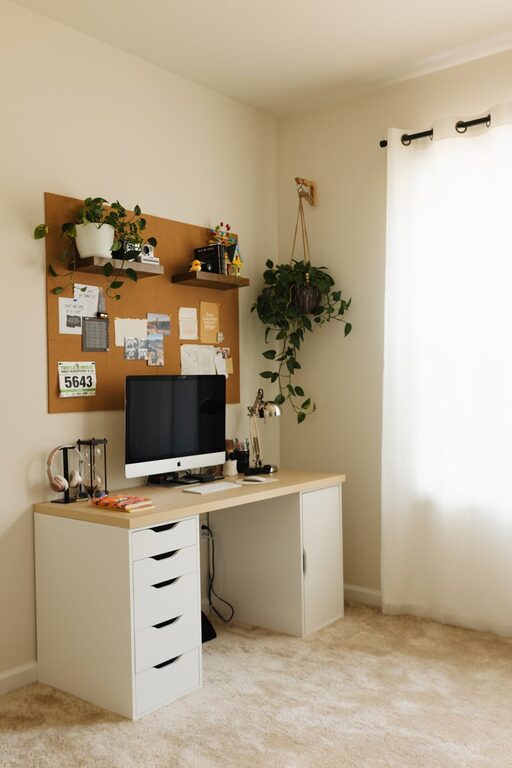
Creating a home workspace that is both relaxing and productive can make a significant difference in your daily work experience. When your environment encourages focus and comfort, you’ll find it easier to stay motivated and manage stress. Whether you’re working remotely full-time or occasionally tackling tasks at home, setting up a well-thought-out workspace is essential. Here are some helpful tips to guide you through the process.
Choose the Right Location
Picking where to set up your workspace is the first step. Try to find a quiet area with minimal distractions. Ideally, this space should be separate from leisure areas to help mentally distinguish work time from downtime. If possible, a spot near a window will provide natural light, which can improve mood and reduce eye strain.
Invest in Comfortable Furniture
Your chair and desk play a crucial role in both comfort and productivity. Choose an ergonomic chair that supports your lower back and encourages good posture. The desk should be at a height that allows your arms to rest comfortably while typing or writing. Adjustable desks that let you alternate between sitting and standing positions can also enhance comfort and health.
Keep It Organized
Clutter can be a major distraction. Use organizers, shelves, or filing cabinets to keep your workspace tidy. Organize office supplies, documents, and electronics so that everything has its place. A clean workspace helps your mind feel clearer and reduces stress while working.
Personalize Your Space
Add a few personal touches that make the area inviting and reflect your personality. This might include photos, artwork, or plants. Greenery not only makes a workspace more attractive but also improves air quality and has a calming effect. Keep personalization subtle to maintain a professional atmosphere.
Optimize Lighting
Good lighting is essential to avoid fatigue and maintain alertness. Maximize natural light during the day and supplement it with task lighting, such as a desk lamp. Choose bulbs with a balanced color temperature (around 4000K-5000K) for a natural feel that reduces eye strain.
Minimize Noise and Distractions
If noise is a problem, consider using noise-cancelling headphones or white noise machines to help create a quieter environment. Set boundaries with family members or housemates by communicating your work schedule clearly. Turning off non-essential notifications on your devices can also help keep your focus intact.
Use Technology Wisely
Having reliable internet and the right technology tools can streamline your work. Invest in a good quality monitor, keyboard, and mouse to reduce strain and improve efficiency. Keep cables neatly arranged and consider using a surge protector to safeguard your electronics.
Incorporate Break Spaces
If your space allows, create a small area nearby for short breaks. Having a place to stretch, relax, or enjoy a cup of tea can refresh your mind and boost productivity. Taking regular breaks helps reduce fatigue and maintain mental clarity throughout the day.
Set a Routine and Stick to It
A dedicated workspace supports establishing a consistent routine. Set specific work hours and take scheduled breaks. End your workday by tidying your area, signaling that work time is over. This helps maintain a healthy work-life balance.
Maintain Good Air Quality and Temperature
Proper ventilation and comfortable room temperature contribute to your overall well-being. Ensure your workspace has fresh air circulation and is neither too hot nor too cold. A small fan or heater can help regulate the temperature as needed.
—
By combining these tips, you can create a home workspace that not only helps you stay productive but also supports relaxation and well-being. Remember that your workspace should evolve along with your needs, so feel free to make adjustments until it feels just right for you.