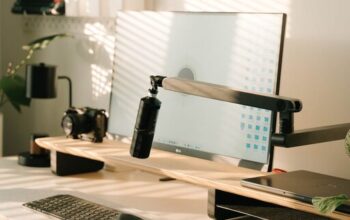

Creating a productive home workspace is essential for anyone working remotely or managing tasks from home. A well-organized space can help improve focus, reduce distractions, and make your workday more enjoyable. Whether you have a dedicated room or just a small corner, these simple tips will help you set up a home workspace that supports your productivity and wellbeing.
Choose the Right Location
Selecting the right spot for your workspace is the foundation of productivity.
– Quiet and Private: Pick a location away from the busiest parts of your home. A quiet corner or a spare room can minimize noise and interruptions.
– Natural Light: Try to position your desk near a window. Natural light helps reduce eye strain and improves mood.
– Space to Move: Ensure you have enough space to stretch, move, and store work essentials without feeling cramped.
Invest in Comfortable Furniture
Comfort plays an important role in maintaining focus throughout the day.
– Ergonomic Chair: A supportive chair can prevent back pain and keep you comfortable during long work sessions.
– Appropriate Desk Height: Your desk should allow your arms to rest comfortably while typing, with your feet flat on the floor.
– Flexible Setup: Consider a sit-stand desk or a setup that encourages good posture and movement.
Organize Your Workspace
A clutter-free environment promotes clear thinking and efficiency.
– Minimal Essentials: Keep only necessary items on your desk. Store extra supplies in drawers or shelves.
– Use Organizers: Desk trays, cable organizers, and filing systems help keep papers and tools tidy.
– Digital Declutter: Organize your desktop and files on your computer for faster access and fewer distractions.
Manage Lighting Effectively
Proper lighting reduces eye strain and keeps you alert.
– Combine Natural and Artificial Light: Use natural light during the day supplemented by soft, warm task lighting in the evening.
– Position Lights Carefully: Avoid glare on your screen by placing lights to the side rather than directly in front or behind your monitor.
– Adjust Brightness: Use adjustable lamps to control light intensity depending on the task.
Minimize Distractions
Staying focused is easier when your environment supports concentration.
– Limit Noise: Use noise-cancelling headphones or white noise machines if background sounds are unavoidable.
– Set Boundaries: Communicate your work hours with family or housemates to reduce interruptions.
– Turn Off Notifications: Silence non-essential app alerts during focused work periods.
Personalize Your Space
Adding personal touches can make your workspace inviting and motivating.
– Incorporate Plants: Small plants improve air quality and add a lively touch.
– Add Art or Photos: Visual elements that inspire you can boost creativity and mood.
– Choose a Color Scheme: Soft, calming colors often work best to create a peaceful environment.
Establish a Routine
Creating habits reinforces productivity and helps separate work from personal life.
– Set Consistent Hours: Try to start and finish work at the same times each day.
– Take Breaks: Schedule short breaks to stand, stretch, or rest your eyes to maintain energy.
– End-of-Day Ritual: Organize your desk and plan for the next day to close your work session effectively.
Utilize Technology Wisely
Good tools can support your workflow without adding complexity.
– Reliable Internet: A stable connection is crucial for virtual meetings and online tasks.
– Productivity Apps: Use calendars, task managers, and focus timers to stay organized.
– Backup Power: Consider a surge protector or battery backup to prevent interruptions.
—
Creating a productive home workspace doesn’t require a large budget or a lot of space. By choosing a suitable location, investing in comfort, organizing effectively, and setting clear boundaries, you can design a work area that supports your focus and success. Start with small changes and adjust your setup to fit your needs—your workday will thank you!