
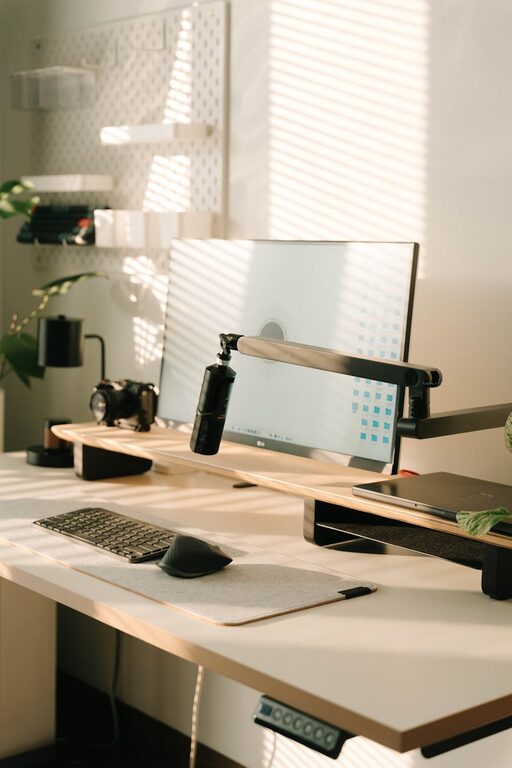
Creating a home office that is both comfortable and productive is essential in today’s world, where remote work and flexible schedules are common. A well-designed workspace can improve focus, reduce stress, and encourage better work habits. Whether you have a dedicated room or a small corner, these tips will help you set up an efficient home office that feels inviting and supports your daily tasks.
Choose the Right Location
The first step in setting up your home office is selecting the best location. Ideally, this space should be quiet and separate from high-traffic areas to minimize distractions. If possible, choose a spot with natural light since sunlight can boost mood and energy levels.
Consider these factors:
– Proximity to power outlets and internet access
– Minimal noise and foot traffic
– Adequate space for your work essentials
– Presence of a door or divider for privacy
Invest in Comfortable and Functional Furniture
Comfort is key for long working hours. Start with a quality office chair that supports your back and promotes good posture. Adjustable chairs allow you to customize height and tilt to reduce strain.
Your desk should be spacious enough for your computer, documents, and other tools without feeling cluttered. Consider ergonomic options like sit-stand desks that let you alternate between sitting and standing.
Furniture tips:
– Ergonomic chair with good lumbar support
– Desk with enough surface area and storage
– Footrest or anti-fatigue mat for standing comfort
– Monitor stand to keep screens at eye level
Optimize Lighting and Ambiance
Proper lighting reduces eye strain and helps you stay alert. If natural light isn’t an option, invest in good artificial lighting. A desk lamp with adjustable brightness and color temperature can provide focused illumination when needed.
Keep the ambiance calm and inviting by choosing light, neutral wall colors and adding plants or personal decor. These touches can create a space you enjoy working in.
Organize for Efficiency
A cluttered workspace can lead to distractions and loss of focus. Incorporate smart storage solutions to keep your area neat:
– Use shelves or filing cabinets to store papers and supplies
– Utilize drawer organizers for small items
– Keep frequently used items within reach
– Establish a daily cleanup routine to maintain order
Manage Technology and Cables
Secure reliable internet and set up your computer, printer, and other devices ergonomically. Cable management is often overlooked but important. Use clips, sleeves, or under-desk trays to keep cords tidy and prevent tripping hazards.
Set Boundaries and Routines
Creating a productive home office isn’t just about physical space; your habits play a major role. Set clear working hours and communicate them with others in your household to minimize interruptions.
Designate specific times for breaks and lunch to recharge without blurring the line between work and home life.
Personalize Your Space
Finally, add elements that inspire and motivate you. Whether it’s framed artwork, motivational quotes, or photos, personal touches make your workspace comfortable and uniquely yours. Just be mindful not to overdo it – too many distractions can affect productivity.
Summary
Designing a comfortable and productive home office involves more than just having a desk and chair. Choose the right location, invest in ergonomic furniture, optimize lighting, stay organized, and create clear boundaries. With these tips, you can build a workspace that supports focus and well-being, helping you make the most of your remote work experience.