
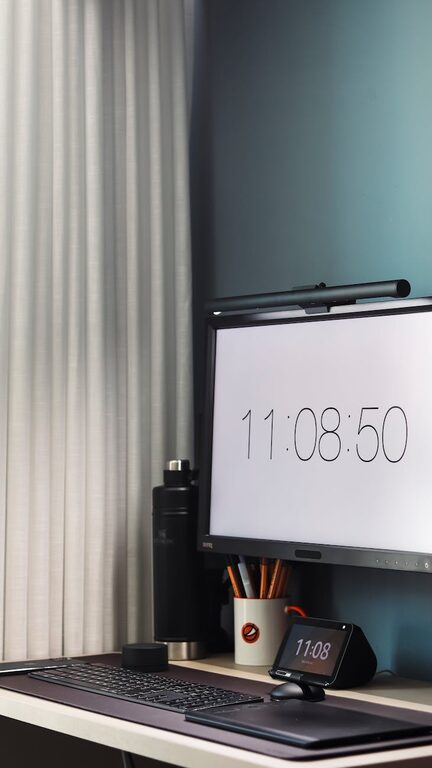
Creating a dedicated and well-organized home office space can significantly improve your productivity and focus. Without a clutter-free environment, distractions can easily take over, making it harder to get work done efficiently. Whether you work from home full-time or occasionally need to catch up on tasks, having an organized workspace helps maintain motivation and a clear mind.
Below are practical tips to help you design a clutter-free and productive home office that supports your work needs while maintaining a comfortable, inviting atmosphere.
Assess Your Space
Before you start organizing, take a good look at your current setup and space limitations.
– Choose the right spot: Select a quiet area with good natural light if possible.
– Measure the area: Knowing the dimensions will help you pick furniture and storage solutions that fit properly and maximize available space.
– Identify your needs: Think about your work habits and equipment you frequently use. This will guide what storage and desk setup works best.
Declutter and Sort
A cluttered workspace can cause stress and hinder productivity. Start by decluttering.
– Clear your desk: Remove everything from your desk and only put back essentials.
– Sort your items: Create piles for items to keep, donate, recycle, or toss.
– Limit decorations: Choose a few meaningful items rather than overcrowding with knick-knacks.
Smart Storage Solutions
Efficient storage helps keep your desk clear and important items within reach.
– Use vertical space: Shelves, wall-mounted organizers, and pegboards can free up desk space.
– Drawer organizers: Keep small items like pens, sticky notes, and chargers neatly arranged.
– Label storage: Label boxes or folders so you can find things quickly without digging through piles.
– Cable management: Use clips or sleeves to keep cords tidy and prevent tangling.
Optimize Your Desk Setup
A well-arranged desk promotes comfort and efficiency.
– Ergonomics matter: Adjust your chair and monitor so your eyes are level with the screen and your feet are flat on the floor.
– Keep essentials handy: Place your most-used items within arm’s reach.
– Limit surface clutter: A clean desk helps your brain focus. Only keep what you use daily on top.
Implement a Paper Management System
Paper can easily pile up, so create a system to keep it controlled.
– Go digital when possible: Scan important documents and store them on your computer or cloud accounts.
– Use trays or folders: Sort papers by category and date to keep them organized.
– Schedule regular purges: Set a monthly routine to review and discard outdated papers.
Create Zones for Different Tasks
Design your space to suit various activities you perform during the day.
– Work zone: Main desk area for computer work and meetings.
– Reference zone: Nearby shelves or drawers to store books, manuals, or files.
– Creative zone: A space for brainstorming, sketching, or brainstorming if your work involves creative projects.
Maintain Daily Habits
The key to a clutter-free office is regular upkeep.
– End-of-day tidy: Spend 5-10 minutes clearing your desk and organizing loose items.
– Keep distractions away: Store personal devices and non-work-related items elsewhere to reduce temptation.
– Use to-do lists: Planning your day keeps you focused and minimizes task-related stress.
Personalize Thoughtfully
Adding your personal touch can make your workspace inspiring and inviting without causing clutter.
– Add plants: Small greenery can boost mood and air quality.
– Incorporate art: Choose a few calming or motivational pieces.
– Comfort items: A cozy blanket or ergonomic accessories support comfort during long work sessions.
Lighting and Ambience
Good lighting reduces eye strain and keeps energy levels up.
– Natural light: Position your desk near a window if possible.
– Task lighting: Use adjustable desk lamps for focused work.
– Avoid glare: Position screens to avoid reflections and glare from windows or overhead lights.
—
By applying these tips, you’ll create a home office that’s not only clutter-free but also tailored to help you work productively and comfortably. Remember, the best workspace is one that supports your individual needs and habits. Regularly reassess and adjust your setup as your workflow evolves to maintain a space that inspires your best work.